

Recent Blogs
Stay updated with our latest blog posts.

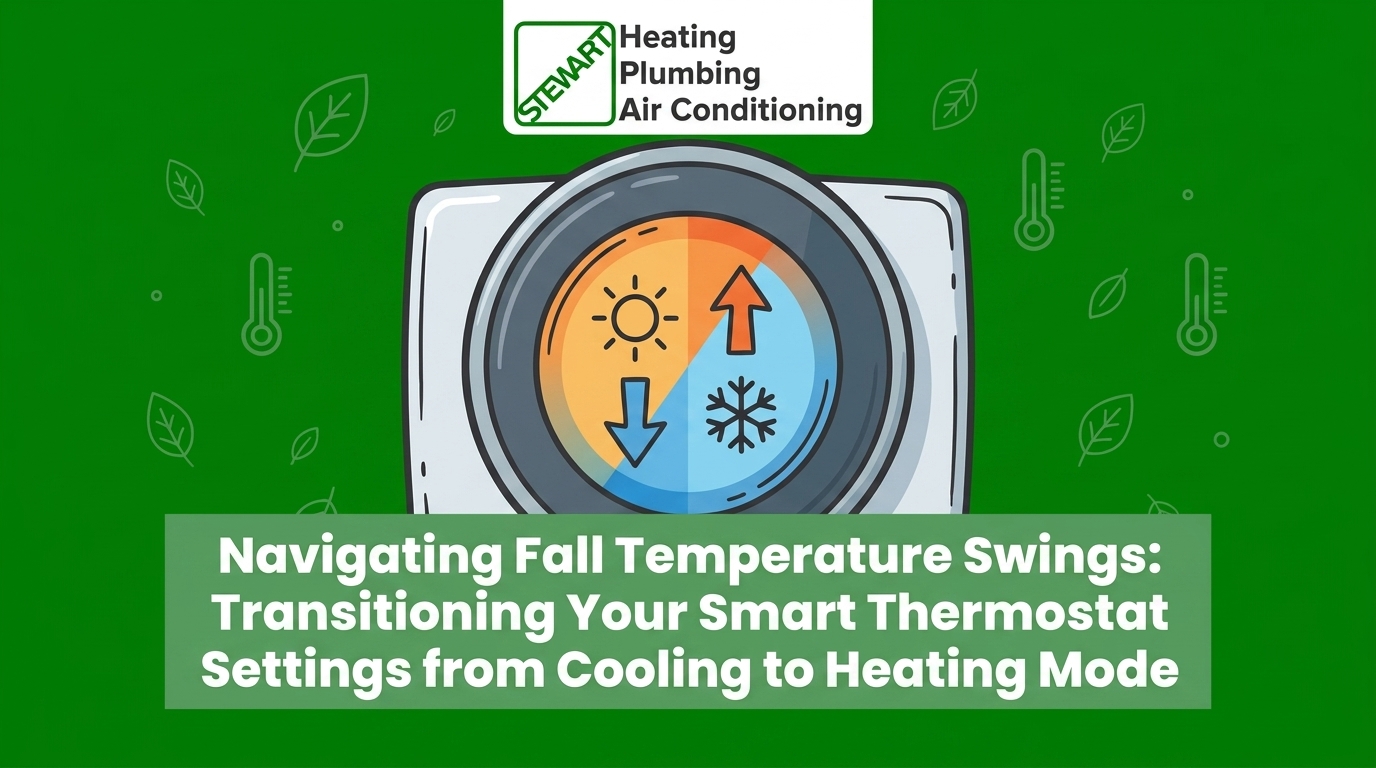
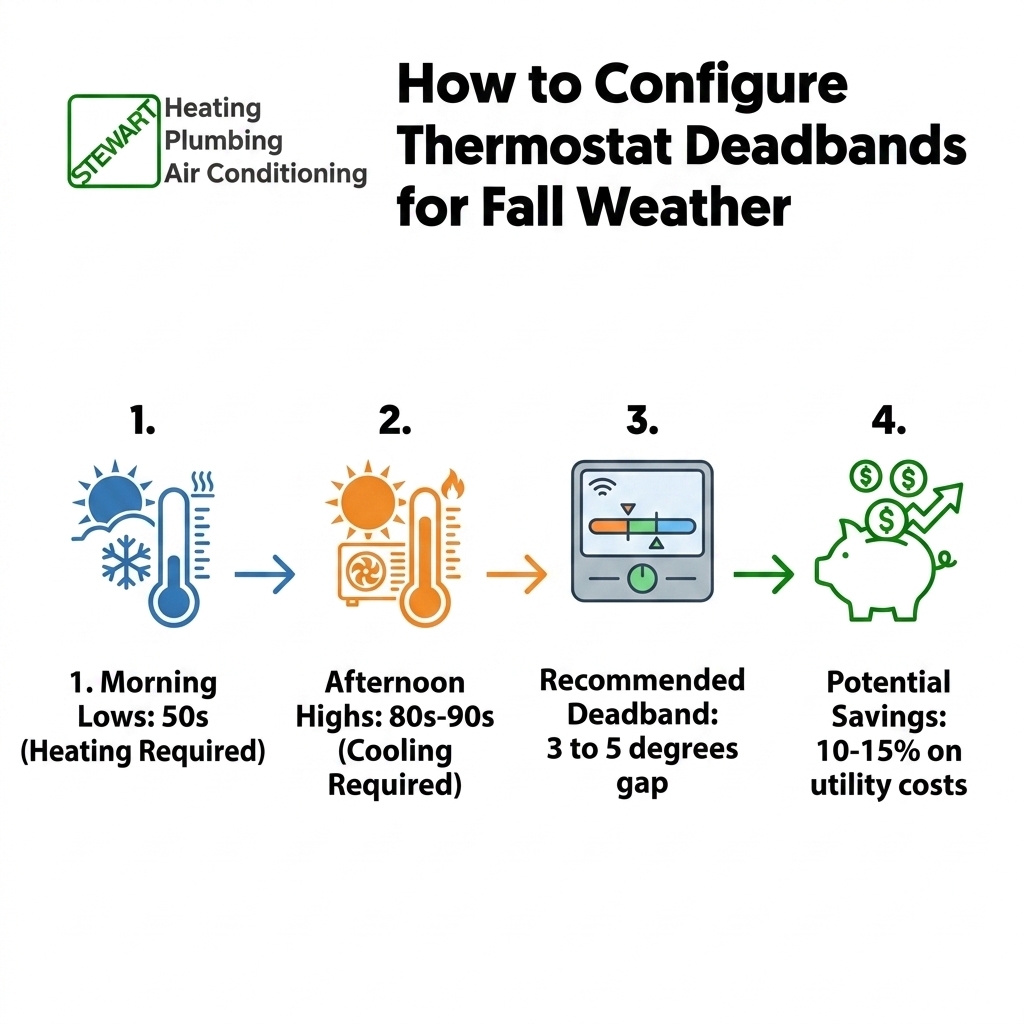
September in the East Bay is only weeks away, bringing with it the notorious "second summer" that makes transitioning your smart thermostat settings from cooling to heating mode a daily challenge. If you live in the Delta region, you are already familiar with the frustration of waking up to freezing temperatures and returning home from work to a sweltering house. When morning lows drop deep into the 50s but afternoon highs surge right back into the 80s or 90s, standard "heat" or "cool" modes simply cannot keep up with the rapid shifts in weather.
If you want to ensure your HVAC system is ready for these wild daily swings, optimizing your smart thermostats is the first step. Properly configuring your device is the key to maintaining indoor comfort without skyrocketing your utility bills or putting undue strain on your equipment. In our decades of serving Pittsburgh homeowners, we've found that most people do not realize that leaving a thermostat on a static seasonal setting during these transition weeks forces the system to work much harder than necessary. By making a few strategic adjustments to your automated schedules, you can bridge the gap between summer and winter seamlessly.
Standard eco-schedules look great on paper, but they are typically programmed for distinct, predictable seasons. These out-of-the-box settings assume that once fall arrives, the weather gradually cools down and stays cool. However, Pittsburgh, CA and surrounding East Bay communities experience unique microclimates that defy generic national programming. The geographical location near the Delta creates rapid, drastic temperature shifts that easily confuse basic thermostat schedules.
Since 1974, our team at Stewart Heating, Plumbing and Air Conditioning has managed these specific East Bay microclimates, and one consistent pattern we see is the failure of rigid scheduling during transitional months. When an HVAC system tries to strictly follow a rigid temperature schedule during a 30- to 40-degree daily swing, it often falls into a trap of constant overcorrection.
The short-cycling risk: Short-cycling occurs when your heating or cooling system turns on and off too rapidly. If your thermostat is aggressively trying to maintain a strict 72-degree environment while the outdoor temperature jumps 30 degrees in a matter of hours, the system will constantly cycle on and off. This not only wastes a massive amount of energy but also prevents the system from running long enough to properly dehumidify the air or filter out indoor pollutants.
Thermal mass lag: Homes in our region absorb heat during the scorching afternoons and release it slowly throughout the night. Generic eco-schedules do not account for your home's thermal mass. They might trigger the furnace too early in the morning, right before the sun hits your roof and naturally warms the house, leading to an uncomfortably hot living space by noon.
To conquer September diurnal temperature swings in the Bay Area Delta, you need to utilize the "Auto-Changeover" feature on your device. Auto-Changeover mode allows the thermostat to switch between heating and cooling automatically based on the indoor temperature, eliminating the need for you to manually toggle between modes at the thermostat panel every morning and afternoon.
However, Auto-Changeover is only effective if you properly configure the "deadband." A deadband is the temperature gap between your heating setpoint and your cooling setpoint. For example, if your heat is set to kick on at 68 degrees and your AC is set to kick on at 74 degrees, you have a 6-degree deadband. Energy experts widely recommend setting a deadband of at least 3 to 5 degrees to prevent the furnace and the air conditioner from fighting each other.
Our service technicians frequently see the consequences of poorly configured settings in the field. In one recent instance right here in Pittsburgh, a customer with a unit in an unusual, hard-to-reach location called us regarding a malfunctioning circuit board. Our technician fixed the board, which had been severely strained by erratic short-cycling, and recommended upgrading to a smart thermostat to better manage these exact types of environmental swings automatically.
Adjusting this setting varies slightly by brand, but the core process remains the same across most modern devices:
1. Access the advanced settings: Open your thermostat's mobile app or navigate to the main menu on the physical wall unit. Look for a section labeled "Installation Settings," "Advanced Comfort," or "Auto Mode."
2. Locate the heat/cool gap: Find the setting that controls the minimum distance between heating and cooling setpoints. This is often labeled "Deadband," "Temperature Band," or "Auto-Changeover Differential."
3. Widen the gap: Increase this gap to at least 4 or 5 degrees. This accommodates afternoon heat spikes without triggering the AC prematurely, and allows the house to cool naturally in the evening without instantly firing up the furnace.
4. Save and monitor: Apply the settings and observe how your system behaves over the next 48 hours. If you notice the AC and heat running on the same day, widen the deadband by another degree.
Even with a perfect deadband, our team often notices that a single thermostat located in a central hallway might not accurately reflect the comfort level in the rest of your home. This is where remote room sensors become incredibly valuable during the fall transition. Remote sensors communicate with the main thermostat to balance hot and cold spots throughout the house, ensuring the system responds to the rooms you are actually using rather than an empty hallway.
Prioritizing morning warmth: During the early morning hours when heating is required, you can program your system to prioritize bedroom sensors. If the master bedroom drops into the low 60s at 5:00 AM, the thermostat will reference that specific sensor to trigger a brief heating cycle, ignoring the fact that the insulated interior hallway might still read 68 degrees.
Managing afternoon heat: As the day progresses and the outdoor temperature climbs into the 80s or 90s, you can shift the sensor priority to the main living areas or west-facing rooms. West-facing rooms absorb the brunt of the afternoon sun and heat up much faster than the rest of the house. By prioritizing these sensors between 3:00 PM and 7:00 PM, your cooling system will engage exactly when and where it is needed most.
Leveraging occupancy sensors: Many modern sensors also feature built-in motion detectors. These occupancy sensors can further refine your schedules by only conditioning rooms that are actively in use. If a guest bedroom or a home office is empty, the system will average the temperature based only on the occupied rooms, preventing wasted energy and keeping the active living spaces perfectly comfortable.
Properly configuring your smart settings does more than just keep you comfortable; it directly impacts the longevity and mechanical health of your HVAC equipment. The mechanical strain caused when an HVAC system rapidly switches between heating and cooling is substantial. Compressors, blower motors, and heat exchangers are designed to run in sustained cycles, not in short, frantic bursts.
When a system short-cycles due to a narrow deadband, the compressor is forced to start up repeatedly against high refrigerant pressures. This draws excessive electrical current and generates intense heat within the motor windings. Similarly, a furnace heat exchanger expands and contracts with every cycle. Rapid, unnecessary cycling accelerates metal fatigue and increases the risk of premature failure. Proper deadband settings allow the compressor and heat exchanger adequate time to rest and reset between cycles.
According to EPA ENERGY STAR data, optimized schedules can yield significant energy savings for both heating and cooling. But beyond the utility savings, reducing short-cycling directly translates to fewer unexpected breakdowns—a pattern we see often during early fall service calls. If you want to avoid mid-season failures, minimizing equipment strain is paramount. If you suspect your system is already suffering from the effects of short-cycling, scheduling professional heating services can help identify and correct underlying mechanical stress before winter arrives.
• Rapid cycling on and off — Mechanical Impact on HVAC System: Compressor overheating, high electrical draw, accelerated blower motor wear — Solution: Widen the deadband to 4-5 degrees
• Heat and AC running on same day — Mechanical Impact on HVAC System: Reversing valve strain (heat pumps), excessive daily run times, wasted energy — Solution: Utilize Auto-Changeover with proper differential
• Uneven temperatures in home — Mechanical Impact on HVAC System: System runs longer trying to satisfy a centrally located, inaccurate thermostat — Solution: Deploy and prioritize remote room sensors
A perfectly programmed thermostat is a powerful tool, but it cannot compensate for a mechanically compromised system. Digital settings rely entirely on the physical readiness of the heating and cooling equipment to execute the commands. As we move deeper into autumn, testing the furnace during the early fall before the deep winter cold arrives is a necessary step for every homeowner.
During our autumn system reviews, we often find that underlying mechanical issues are the true cause of poor performance. In one recent case, a Stewart Heating technician performing a seasonal inspection thoroughly explained a series of efficiency issues to the homeowner. By suggesting specific measures for improved efficiency and cleaning critical components, the customer understood exactly what needed to be done and was pleased with the clear path forward.
When a professional technician performs a fall transition tune-up, they are looking for specific mechanical benchmarks that a smart thermostat simply cannot measure:
• Testing safety switches: Ensuring high-limit switches and flame rollout sensors are operating correctly to prevent fire hazards.
• Cleaning flame sensors: A dirty flame sensor will cause a furnace to shut down prematurely, even if the thermostat is calling for heat.
• Inspecting the heat exchanger: Checking for hairline cracks that could leak carbon monoxide into the living space.
• Calibrating blower speeds: Adjusting the fan speed to ensure proper airflow for both heating and cooling modes.
• Verifying electrical connections: Tightening loose wires that may have degraded during the heavy summer cooling season.
We strongly advise homeowners to have their system's efficiency professionally evaluated as part of their seasonal prep. Enrolling in an HVAC maintenance plan ensures these crucial physical checks happen on schedule, allowing your digital thermostat to operate a healthy, fully optimized machine.
Beyond adjusting deadbands and sensor priorities, you can further maximize your home's efficiency by aligning your thermostat schedules with local utility off-peak hours. Many utility providers in California utilize Time-of-Use (TOU) pricing, meaning electricity is significantly more expensive during late afternoon and early evening hours. By programming your thermostat to pre-cool or pre-heat your home during off-peak morning hours, you can coast through the most expensive parts of the day with minimal system usage.
If you are still struggling to maintain comfort despite having optimized smart settings, it may be time to look at the equipment itself. Upgrading outdated equipment to modern, high-efficiency systems can significantly improve comfort and drastically reduce energy consumption. Modern variable-speed blowers and multi-stage compressors interact beautifully with advanced thermostats, providing precise temperature control that older single-stage units simply cannot match.
Furthermore, homeowners may be eligible for generally applicable energy rebates or federal tax credits for qualifying high-efficiency installations. Various federal and local programs are designed to incentivize the transition to greener, more efficient home comfort systems. We advise readers to consult with a tax professional and their utility provider to verify current incentive programs, as these offerings can make a substantial system upgrade much more accessible.
A deadband is the temperature gap between your heating setpoint and your cooling setpoint. For example, if your heat is set to 68 degrees and your AC is set to 72 degrees, the deadband is 4 degrees. This gap prevents the system from constantly switching back and forth between heating and cooling modes.
To use auto mode effectively in the fall, select the "Auto-Changeover" setting and establish a deadband of at least 3 to 5 degrees. This allows the system to automatically trigger the furnace during chilly mornings and the air conditioner during hot afternoons without requiring manual adjustments.
The most effective way to stop constant switching is to widen the temperature differential (deadband) in your thermostat's advanced settings. By increasing the gap between the heating and cooling triggers, you give the home's natural thermal mass time to stabilize, reducing short-cycling.
While personal comfort varies, energy experts generally recommend setting the heating trigger around 68 degrees and the cooling trigger around 74 to 76 degrees during the fall. This configuration balances indoor comfort with energy efficiency during unpredictable transitional weather.
Yes, if the deadband is set too narrow (for instance, a 1-degree gap), auto-changeover will cause the HVAC system to fight itself, triggering the AC to cool down the heat the furnace just generated. Proper configuration is required to realize the energy-saving benefits of auto mode.
You can perform a basic test by manually switching the thermostat to "Heat" mode and raising the setpoint a few degrees above the current room temperature. Listen for the furnace to ignite and check the vents for warm air, but remember that this digital test does not replace a professional mechanical inspection.
Achieving a smooth transition between heating and cooling without wasting energy comes down to understanding your equipment and utilizing the technology at your fingertips. By mastering auto-changeover settings, widening your deadbands, and prioritizing room sensors, you can navigate September's unpredictable temperature swings with ease.
Do not wait until the weather becomes even more erratic to make these adjustments. Take the time to finalize your settings today. If you need assistance transitioning your smart thermostat settings from cooling to heating mode, or if you want to schedule a professional inspection to guarantee your system is mechanically ready for the transition, reach out to our team at Stewart Heating, Plumbing and Air Conditioning. Ensuring your smart thermostats are perfectly paired with a well-maintained HVAC system is the best way to secure reliable, efficient comfort all season long.

Very professional and complete. I would recommend Stewart to anyone. Highest quality of workmanship and clean installation.
Stewart Heating Plumbing Air Conditioning just did some work for us for the first time. They did an installation at my home and it turned out well. I thought the price was fair and I definitely would use them again. The technicians were very friendly and knowledgeable about their work. I highly recommend Stewart Heating Plumbing Air Conditioning and already told friends to use them.
We have been using Stewart Heating Plumbing Air Conditioning since 1995. They put the original heating and air unit in the house, and we have just stayed with them. They are dependable and honest people, and they have done a good job for us every time that we have used them!
They came and did an inspection and are coming tomorrow to do the repair.
They replaced a regulator the first time, and then the water heater vent had to be replaced. They did great work.
The gentleman that serviced us was helpful, insightful, and knew what he was talking about. Overall, it was a great experience.